In this article
- 01Should You Use Shopify Variants, Metafields, Separate Products or a Product Options App?
- 02Quick Decision Table
- 031. Shopify Variants: Best for Product Choices That Affect Inventory or SKU
- 042. Metafields: Best for Structured Product Data
- 053. Separate Products: Best When Items Need Independent Product Records
- 064. Product Options Apps: Best for Customer Input and Paid Extras
- 07Worked Examples: Choose a Setup for Three Products
- 08How to Decide Without Overcomplicating
- 09Frequently Asked Questions
- 10The Best Shopify Setup Depends on What the Choice Changes
Should You Use Shopify Variants, Metafields, Separate Products or a Product Options App?
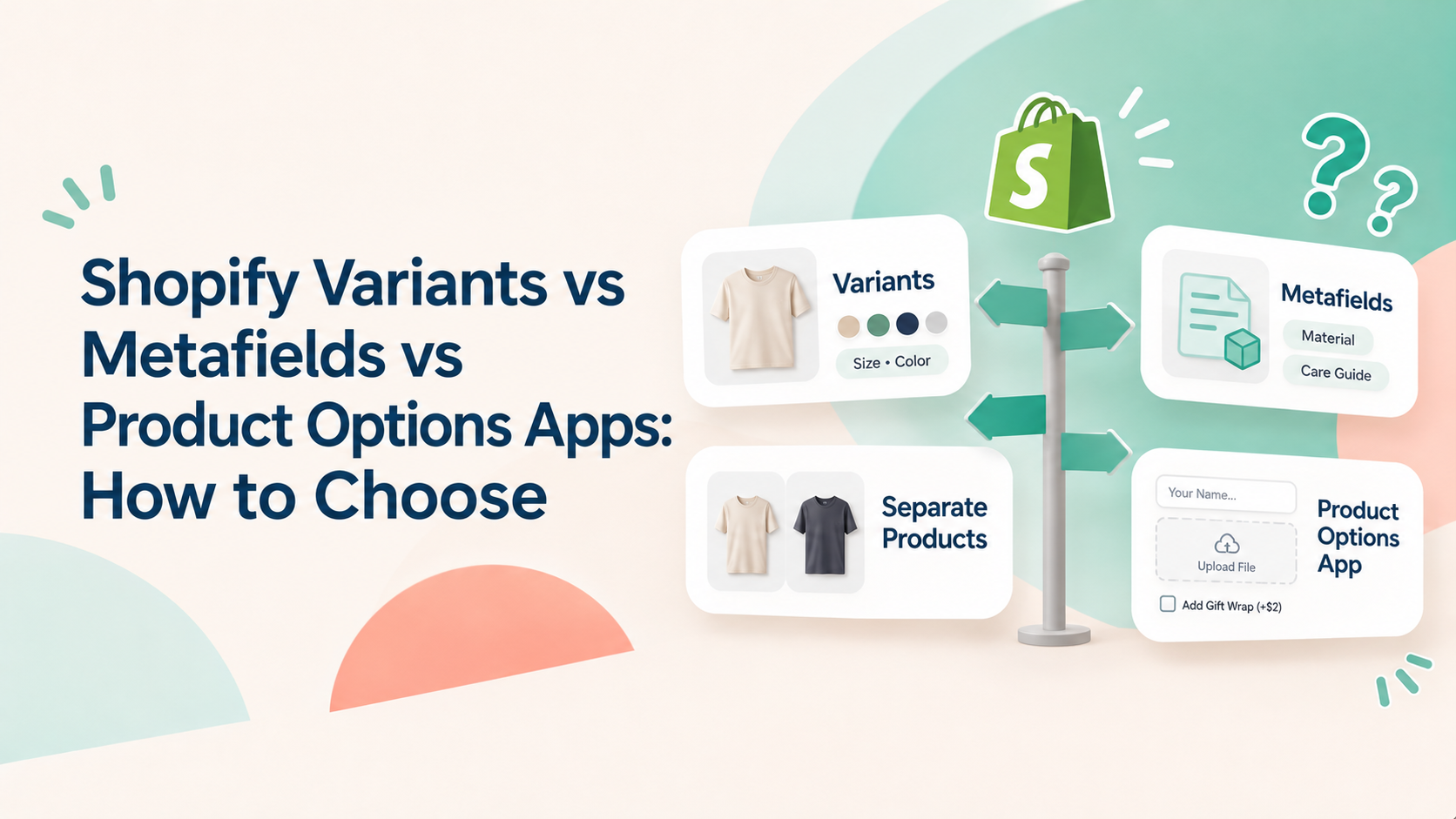
The right Shopify product structure depends on what the customer is choosing and what your store needs to manage after the purchase.
Use variants when a choice creates a distinct product version with its own SKU, inventory or price.
Use metafields to store structured product information and reusable attributes.
Create separate products when items need independent product pages or merchandising.
Use a product options app when customers need inputs such as custom text, file uploads or paid extras that do not need to become inventory-bearing variants.
Quick Decision Table
Your situation | Best starting point | Why |
|---|---|---|
A few fixed choices, such as size and color | Shopify variants | Each combination can have its own SKU, inventory and price |
Many combinations of fixed choices | Shopify variants, after calculating the total | Shopify supports up to 2,048 variants, but app compatibility and manageability still matter |
Reusable product attributes or structured information | Metafields | Store structured data; category metafields can connect to variant options |
Customers enter a name, message or other custom text | Product options app | A text field collects customer input rather than selecting a predefined variant |
Customers upload artwork, photos or documents | Product options app | File uploads are not native variant values |
Customers choose an optional paid extra | Product options app or a separate product, depending on the workflow | An options app can apply an add-on charge without creating a variant for every combination |
Each choice needs its own SKU and inventory | Shopify variants | Each variant can be managed as a distinct purchasable item |
Items need separate URLs, descriptions or merchandising | Separate products | Each item has its own product record and storefront presentation |
The table is a starting point, not a rule that every store must follow. Some products combine approaches—for example, variants for size and color, metafields for product attributes, and an options app for personalization.
1. Shopify Variants: Best for Product Choices That Affect Inventory or SKU
For example, a hoodie with three sizes and four colors has: 3 sizes × 4 colors = 12 variants
Each variant can have its own price, SKU and inventory. This makes variants appropriate when the customer’s selection changes the actual product version the merchant needs to stock, identify or fulfil.
Shopify’s current native limits
As of November 6, 2026:
Up to 3 options per product.
Up to 2,048 variants per product.
Variant options can use connected category metafields where available.
Sources:
When variants are enough
- Customers choose from fixed values, not arbitrary text or uploaded files.
- Each combination represents a real product version.
- You need to track inventory or assign a SKU to each combination.
- Your product fits within Shopify’s three-option and 2,048-variant limits.
- Your connected apps and theme support the resulting variant count.
2. Metafields: Best for Structured Product Data
Category metafields have a more specific role: Shopify connects them to its Standard Product Taxonomy. They can provide reusable entries for product attributes and can be connected to variant options. For example, a store can use category metafield entries for colors and connect those entries to variant option values.
This helps keep product information consistent. If a reusable color entry changes, connected values can update wherever that entry is used.
Read more about Shopify’s Category metafields documentation.
3. Separate Products: Best When Items Need Independent Product Records
Sometimes two choices should not be variants of the same product.
Separate products may be more appropriate when items need:
- Different product titles, descriptions or images.
- Independent product pages and URLs.
- Different merchandising or collection placement.
- Separate marketing campaigns or product-level content.
- Product-specific workflows that are easier to manage independently.
4. Product Options Apps: Best for Customer Input and Paid Extras
- Entering a name, message or engraving text.
- Uploading an image, logo or document.
- Choosing gift wrapping or another paid add-on.
- Providing measurements or other custom information.
- Showing additional fields based on earlier customer selections.
Useful Aris Options' documentation on this topic:
Worked Examples: Choose a Setup for Three Products
Example 1: A Hoodie with Size and Color Choices
Requirements
3 sizes: Small, Medium, Large.
4 colors: Black, White, Navy, Grey.
Each size/color combination needs its own SKU and inventory.
3 sizes × 4 colors = 12 variants
This is a straightforward variant use case. Each combination represents a distinct version of the hoodie, so Shopify can manage the SKU and inventory at the variant level.
Metafields may also be useful for reusable product attributes such as fabric composition or care instructions, but they do not replace the variants needed for size and color inventory.
Example 2: A Personalized Photo Mug
- 2 mug sizes: standard and large.
- 3 base colors.
- Customer enters a short printed message.
- Customer can pay extra for gift packaging.
Example 3: A Custom Portrait Print
- Customers choose one of 3 print sizes.
- Customers upload a photo.
- Customers choose a frame upgrade for an additional charge.
- The uploaded photo is unique to each order.
Create 3 Shopify variants for the print sizes. Use a file upload field for the customer’s photo and an add-on option for the frame upgrade through Product Options app like Aris Product Options.
The uploaded photo is order-specific customer input. You can charge for the frame upgrade as an additional fee if it doesn't need separate variant-level inventory. If frames are stocked and tracked as distinct items, assess whether a variant or linked product workflow is more appropriate.

How to Decide Without Overcomplicating
Before choosing a structure, answer these questions:
Does the choice change the actual stocked product? If yes, start with variants.
Does the information describe the product rather than represent a customer choice? If yes, consider metafields.
Does the item need its own product page and merchandising? If yes, consider a separate product.
Does the customer need to type, upload or select a paid extra? If yes, consider a product options app.
Will the resulting variant count exceed 2,048 or create compatibility concerns? Rework the catalog structure and check connected apps before launch.
You do not need to force every product customization into one system. A practical Shopify setup often combines variants, metafields, and additional product fields.