What Are Shopify Options, Option Values, and Variants?
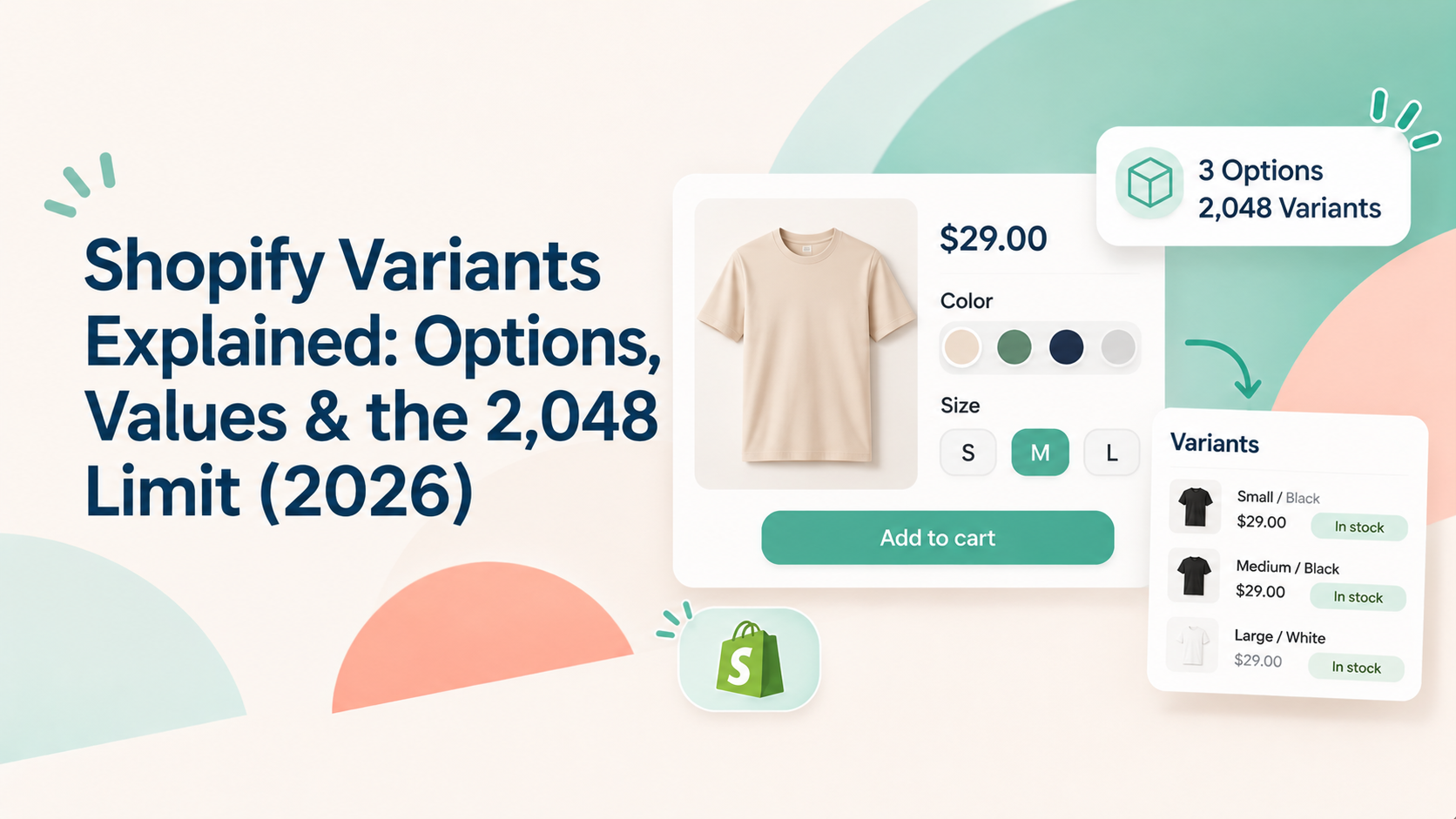
In Shopify, an option is a product attribute customers can choose, such as Size or Color. An option value is one of the choices within that attribute, such as Small, Medium, or Black. A variant is a specific combination of option values that represents a purchasable version of the product—for example, a Black / Medium T-shirt.
As of November 2026, Shopify supports up to 3 options and 2,048 variants per product. Variants can have their own price, inventory, SKU and other product details. However, a variant is a predefined product configuration: it does not, by itself, collect free-form text, customer-uploaded files or a separate add-on charge based on a customer's input.
This guide explains the terminology, the current limits and how to decide whether a product needs variants or additional product options.
Shopify Options vs. Option Values vs. Variants
Term | Meaning | Example |
|---|
Option | The attribute or choice category | Size |
Option value | One available choice within an option | Small, Medium, Large |
Variant | A specific combination of option values | Black / Medium |
For example, a T-shirt might have two options:
- Size: Small, Medium, Large
- Color: Black, White
Shopify combines these values to create variants, such as Small / Black, Medium / Black or Large / White. Each combination is a distinct variant that can be managed separately.
Shopify allows merchants to create up to three options for each product. The options can differ from one product to another.
What Is Shopify’s Variant Limit in 2026?
Shopify increased its product variant limit from 100 to 2,048 variants per product on October 15, 2025.
The change was announced in the official Shopify Changelog, titled “We’ve increased the product variant limit to 2048.” The update made the higher limit available to all Shopify merchants.
The current Shopify Help Center also states that a product can have up to 2,048 variants and up to three options.
Important for app compatibility: Shopify's developer changelog notes that apps not using supported GraphQL product APIs may provide a downgraded or broken experience when creating or viewing products with more than 100 variants. If your store relies on product, inventory or merchandising apps, check their compatibility before building a catalog that exceeds 100 variants.
Sources:
- [Shopify Changelog: We’ve increased the product variant limit to 2048 — October 15, 2025](https://changelog.shopify.com/posts/we-ve-increased-the-product-variant-limit-to-2048)
- [Shopify developer changelog: The product variant limit is now 2048 for all merchants — October 15, 2025](https://shopify.dev/changelog/posts/the-product-variant-limit-is-now-2048-for-all-merchants)
- [Shopify Help Center: Adding variants](https://help.shopify.com/en/manual/products/variants/add-variants)
Sources checked: November 6, 2026.
What Can Shopify Variants Do - and What Can’t They Do?
Variants work well when customers are choosing from a fixed set of product configurations. Each variant can represent a combination that needs its own price, inventory or SKU.
However, variants are not a general-purpose form builder. They represent predefined product versions, rather than collecting arbitrary information from each customer.
Requirement | Can native Shopify variants handle it? | Why |
|---|
Choose a size or color | Yes | These are predefined option values |
Set a different price for a size/color combination | Yes | Each variant can have its own price |
Track inventory by size or color | Yes | Inventory can be managed at the variant level |
Assign a SKU to each purchasable combination | Yes | Each variant can have its own SKU |
Collect a custom message or engraving text | No, not as a free-text input | A variant value is selected from predefined choices |
Let customers upload an image or document | No | File collection requires an upload field or another solution |
Add a surcharge based on a customer’s extra selection or input | Not as a dynamic option charge by itself | A variant can have a set price, but it is not a dynamic add-on field |
If a product needs only fixed choices such as size, color or material, native variants are usually the simplest solution. If customers must enter personal details, upload files or select paid extras that do not need to become separate inventory variants, an additional product-options solution may be more suitable.
For example, Aris Product Options provides fields such as single-line text and file upload, as well as an Add Charge feature for applying an additional cost based on an option selection. See the
Aris option types overview and
Add Charge guide.
Example: Build the Same Product with Variants and Extra Options
Consider a personalized T-shirt with these requirements:
- Customers choose a size: Small, Medium or Large.
- Customers choose a color: Black or White.
- Customers enter a name to be printed on the shirt.
- Customers can pay extra for gift packaging.
Approach A: Use Shopify Variants
Create two Shopify options:
- Size: Small, Medium, Large
- Color: Black, White
Shopify creates six variants: 3 sizes × 2 colors = 6 variants
Each variant can have its own SKU, inventory and price. This is appropriate for the physical product differences.
However, the customer’s printed name is not a predefined variant value, and gift packaging is an additional selection rather than another physical version that necessarily needs its own variant.
Approach B: Combine Variants with Product Options
Keep Size and Color as Shopify variants. Add separate product option fields for:
- Fabric Types: a selectable option in form of checkboxes
- Additional Upsell or Gift packaging: a selectable option with an additional charge
This keeps inventory-bearing product choices in Shopify variants while collecting personalization details and paid extras separately.
The example illustrates the distinction between selecting a purchasable product version and collecting additional customer input. Confirm the actual storefront, cart and checkout behavior in a test store before publishing screenshots.
When Should You Use Shopify Variants?
Use native Shopify variants when:
- Customers choose from a small, fixed set of values.
- Each combination represents a real product version.
- You need separate inventory, SKU or pricing for each combination.
- The total number of combinations fits Shopify’s limits.
- Your connected apps support the variant count you plan to use.
Consider an additional product-options solution when customers need to enter custom text, upload files, choose paid extras or provide information that does not need to create another inventory-bearing variant.
The two approaches can also work together: use variants for the core product configuration and additional fields for personalization.
Frequently Asked Questions
How many variants can a Shopify product have in 2026?
Shopify supports up to 2,048 variants per product. The limit was increased from 100 on October 15, 2025. Shopify also allows up to three options per product.
What is the difference between a Shopify option and a variant?
An option is a product attribute such as Size or Color. An option value is a choice within that attribute, such as Medium or Black. A variant is a specific combination of option values, such as Medium / Black.
Can Shopify variants collect custom text or file uploads?
Not by themselves. Variants use predefined option values. To collect a customer's own message, artwork or document, you need a separate input or file-upload solution.
Can each Shopify variant have its own SKU and price?
Yes. Shopify variants can have their own price, inventory and SKU, making them suitable for product combinations that need to be managed independently.
Do I need an app if my product has more than 100 variants?
Not necessarily. Shopify's native limit is now 2,048 variants per product. However, check that any apps connected to your store support products with more than 100 variants, because Shopify has warned that older integrations may have a degraded experience.
Choose the Right Structure for Your Product
Shopify variants are designed for predefined product combinations. They are a strong fit for choices such as size, color and material when each combination needs its own price, SKU or inventory.
When a product also needs custom text, file uploads or paid extras, keep those requirements separate from the core variant structure. This gives customers more flexibility without creating unnecessary variants.
Learn more about
Aris Product Options if your product pages need additional fields beyond native Shopify variants.