A Better Way to Collect Customer Files on Shopify
For stores selling personalized products, file upload is an important
part of the buying experience. Customers may need to submit photos,
artwork, documents or other media before an order can be completed.
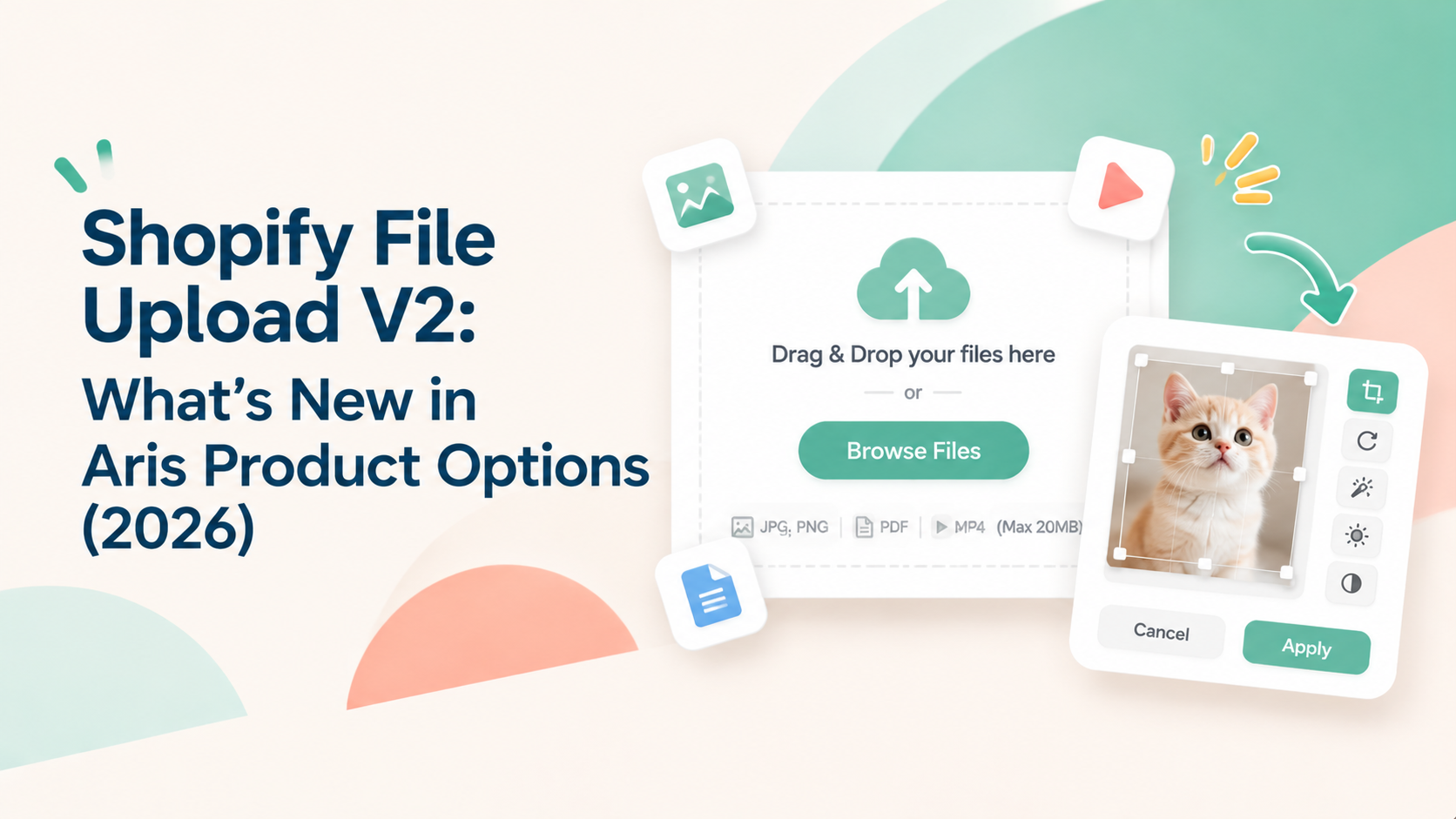
Aris Product Options File Upload V2 upgrades the Shopify file upload experience with a drag-and-drop area, multi-file uploads, audio and video previews, and built-in image editing tools. Merchants can also configure accepted file types, upload sources, file size limits and image dimensions.
This update gives customers more ways to submit and prepare files, while
helping merchants set clearer requirements for the assets they receive.
What's New in File Upload V2?
Feature | What’s new in V2 |
|---|
Upload interface | Drag-and-drop dropzone and dedicated upload modal |
Upload sources | Local files, camera and direct links |
Multiple files | Multi-file upload with minimum and maximum file limits |
Media preview | Thumbnail list and audio/video players |
Image editing | Crop, aspect ratio, crop shape, rotate, enhance, sharpen and grayscale |
Image dimensions | Minimum and maximum pixel dimensions |
File size | Up to 20 MB, 50 MB or 100 MB depending on the plan listed in the V2 guide |
1. A More Interactive Upload Experience
Instead of relying on a traditional upload button, File Upload V2
provides a drag-and-drop dropzone. Customers can click to browse or drag
files into the upload area, then manage their uploads in a dedicated
modal.
The dropzone can also show accepted file types and size limits, helping
customers understand the requirements before submitting a file.
Business benefit: A clearer upload area can make the required action
easier to understand on product pages where customer files are
essential.
2. Multiple Files and Media Previews
Some personalized products need more than one customer file. A photo
book may require several pictures, while a custom project may need both
artwork and a reference document.
With V2, merchants can enable multiple uploads and set minimum and
maximum file counts. Customers can view uploaded files in a thumbnail
list, track upload progress and preview supported audio or video files
in the upload modal.
Business benefit: Merchants can define how many files an order
requires, while customers can review supported media as part of the
upload process.
3. Built-In Image Editing
File Upload V2 includes image editing tools that let customers prepare images on the product page.
Available tools include:
- Crop and aspect ratio controls.
- Shape cropping, including circular, triangular and rounded-corner
options.
- Image rotation.
- Enhance and sharpen.
- Grayscale conversion.
Merchants can configure the available editing options and choose whether
customers must crop an image before uploading or can adjust it freely.
Business benefit: Customers can make basic image adjustments during
customization, which can be useful for photo gifts, custom prints and
engraving products.
4. More Control Over File Requirements
Merchants can choose upload sources, accepted file types and file size limits. V2 supports local files, camera capture and direct links. File types can be configured by category - such as images, documents, audio and video - or by custom extensions.
Merchants can also set minimum and maximum image dimensions in pixels.
These controls help stores communicate and enforce file requirements
that suit their products.
Business benefit: Stores can define more relevant submission
requirements for different product types, such as artwork for custom
apparel or high-resolution images for printed products.
Who Can Benefit from File Upload V2?
File Upload V2 is especially relevant to Shopify stores where customers
need to provide files as part of personalization.
- Photo gifts and printed products: Customers can upload and crop photos, while merchants can set image dimension requirements.
- Custom apparel and print-on-demand: Stores can collect logos, artwork and reference files in supported formats.
- Engraving and personalized gifts: Customers can submit images or design files and make supported adjustments before purchase.
- Products requiring multiple attachments: Merchants can define minimum and maximum file counts for orders that need several assets.
These are examples of potential workflows; the best configuration
depends on each product's file and production requirements.
For the full configuration details, see the
Aris Product Options File
Upload V2
guide.
What Happens to Existing File Upload Options?
According to the Aris Help Center, existing File Upload options created
before the V2 update will continue working. Merchants who want to switch
versions should contact Aris Support at
help@arisify.io.
Check with the support team before changing versions so you understand
the process for your existing option configuration.
File Upload V2: Plan Availability
The V2 Help Center lists these maximum file sizes by plan:
Plan listed in the V2 guide | Maximum file size |
|---|
Free / Basic / Pro | Up to 20 MB |
Advanced | Up to 50 MB |
Premium | Up to 100 MB |
Confirm which current plans include File Upload V2 and whether
multi-file uploads, image editing, pixel dimension controls and
audio/video previews have plan-specific restrictions. The current
documentation does not provide a sufficiently clear breakdown of every
feature by plan. Do not treat the table above as a final plan
entitlement statement until the Product Team confirms it.
Frequently Asked Questions
What is Shopify File Upload V2?
File Upload V2 is an upgraded file upload experience in Aris Product
Options. It adds a drag-and-drop area, multi-file uploads, audio and
video previews, image editing tools and image dimension controls.
Can customers upload multiple files?
Yes. Merchants can enable multiple file uploads and set minimum and
maximum file counts. Confirm plan eligibility with the Aris Product
Team.
Can customers edit images before uploading?
Yes. Available tools include cropping, aspect ratio controls, shape
cropping, rotation, enhancement, sharpening and grayscale conversion.
Which file types does File Upload V2 support?
Merchants can allow all file types or configure categories such as
images, documents, audio and video. They can also specify custom file
extensions.
Will existing File Upload options stop working?
No. The Aris Help Center states that existing options created before the
V2 update will continue working. Contact Aris Support if you want to
switch versions.
Collect Customer Files with More Flexibility
File Upload V2 brings upload management, media previews and image
editing into a more flexible Shopify product page experience. For stores
selling personalized products, these improvements can make it easier for
customers to submit the files their orders require.
Explore Aris Product Options and read the File Upload V2 setup guide to learn more and start leveraging your way of collecting materials from your customers.